jpgHD Blog
How to repair scratched and damaged photos
Scratches, dust, folds, and missing corners can distract from a meaningful photograph. jpgHD can reconstruct some damaged areas and improve the rest of the image.
Use only images you own or have permission to edit.
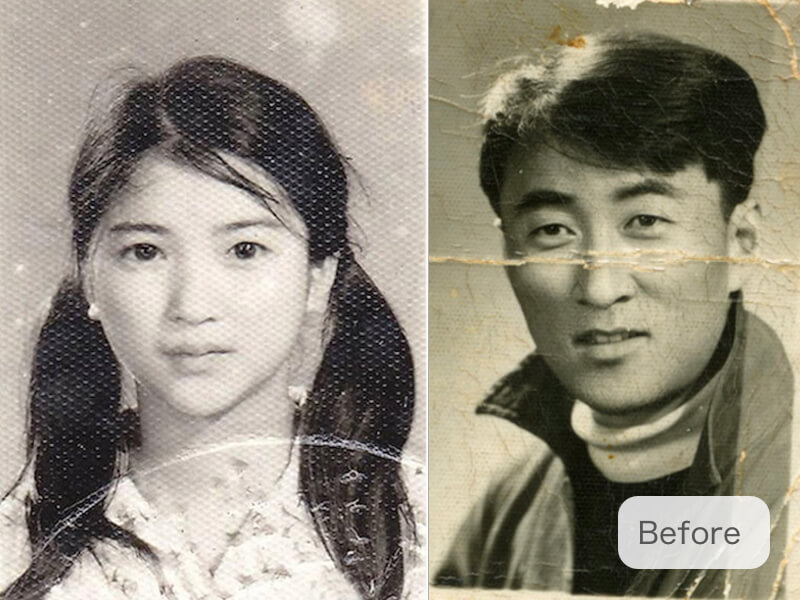 Before
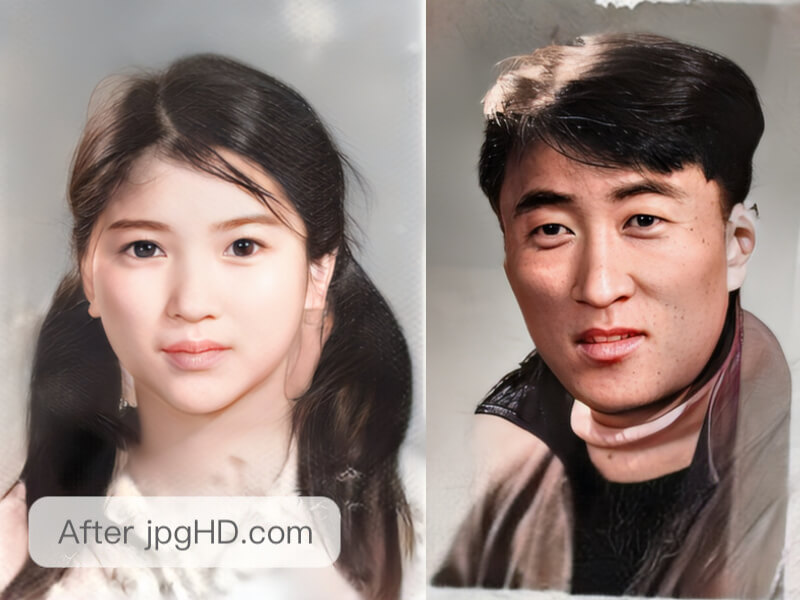 After
AfterWhy this workflow helps
Scratches, dust, folds, and missing corners can distract from a meaningful photograph. jpgHD can reconstruct some damaged areas and improve the rest of the image.
When damage covers unique information, treat the result as a careful reconstruction and keep the untouched scan for comparison.
A practical jpgHD workflow
- Prepare the best source Choose the clearest original you own or have permission to edit, and keep a copy before uploading.
- Upload and process Upload the image to jpgHD, choose the enhancement that matches your goal, and wait for the result.
- Inspect important details Compare the result with the original at the size where you plan to use it. Check edges, faces, text, and repeated texture.
- Refine when needed If an area looks artificial, try a cleaner source or a gentler workflow instead of repeatedly increasing the strength.
- Keep both versions Download the improved image, but keep the original so you can compare or make a different edit later.
Tips for a more natural result
- Map the visible damage Note scratches, folds, tears, and missing corners separately so you can compare each repaired area with the untouched scan.
- Preserve unique evidence Keep the unprocessed scan whenever a crease or tear covers information that exists nowhere else.
- Expect reconstruction limits Treat covered portions as a reconstruction, because jpgHD cannot recover pixels that the damaged photograph never captured.
Related articles
- How to restore old photos with AI
Learn how to restore old photos with jpgHD: prepare a scan, choose scratch repair or colorization, understand paid modes, and check restored faces.
- How to fix blurry and noisy images
Practical ways to improve blurry, grainy, or low-light images with jpgHD while keeping important details natural.
Frequently asked questions
Can AI repair every scratch and fold?
No. jpgHD improves visible information and reconstructs some detail from context, but pixels hidden or never captured beneath damage cannot be recovered completely.
What file is best for damaged photos?
Upload the highest-quality original you own or may edit; a clean scan or uncompressed source gives the repair more useful information to interpret.
How do I inspect repaired corners?
Compare the repaired corners with the untouched scan at the intended viewing size, then examine edges and important reconstructed areas at full size.
Can I use a repaired photo for my project?
You remain responsible for the image rights and for confirming that the reconstructed result suits the project or any other intended use.